
Callaway OptiFit Hosel Settings: What Each One Fixes
Callaway's OptiFit hosel has four loft settings, but the part most players actually need for a slice or hook is a different one: the adjustable weight port.
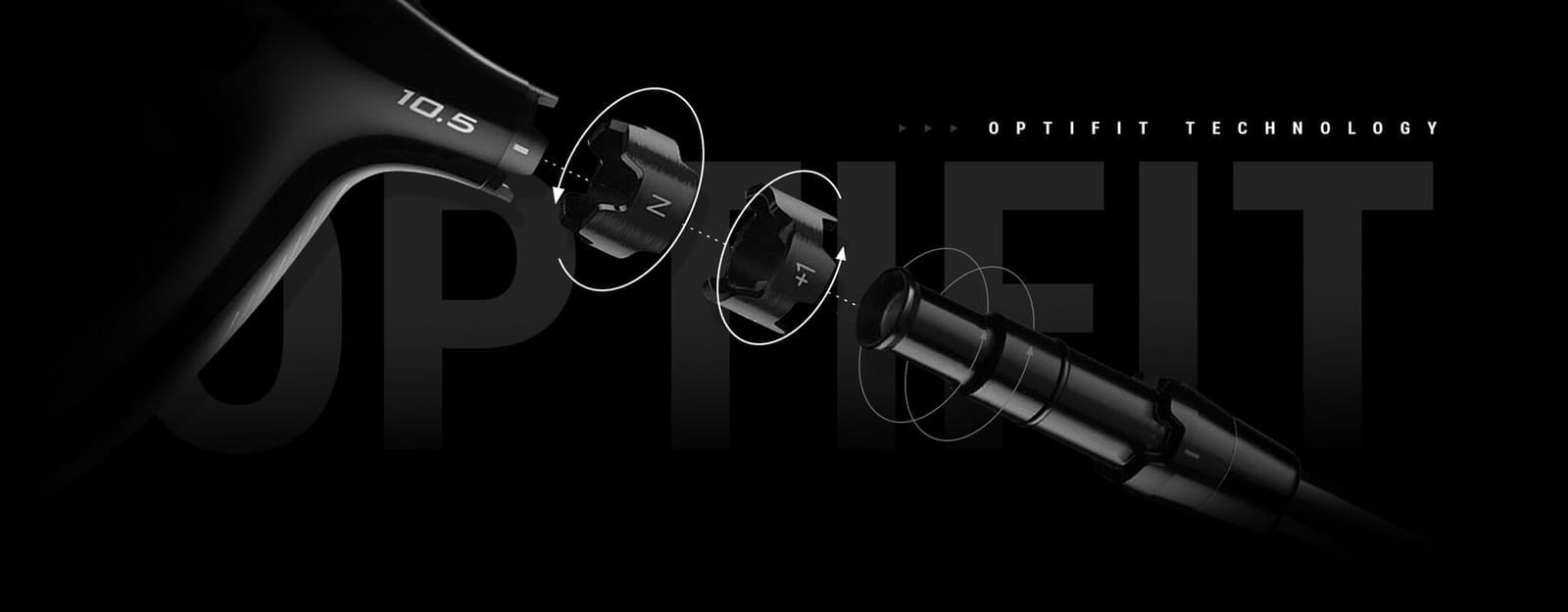
You turn the OptiFit wrench, click the hosel to a different letter, and hit another slice. That’s not because adjustable hosels don’t work. A current Callaway driver has two separate adjustments. The one most players reach for first isn’t the one built to fix a shot shape problem.
Here’s what each part actually changes, and which one to turn depending on what your ball is doing.
The short answer
- The OptiFit hosel changes loft (and lie) in four steps: -1, S, +1, +2 degrees from the loft stamped on the head. That’s eight loft and lie combinations total (Callaway OptiFit Instructions, retrieved 2026-09-20).
- Shot shape (a slice or a hook) is controlled by a different part: the Advanced Perimeter Weighting port on the sole, not the hosel.
- On the Quantum Max, the standard 2026 model, that weight port has two positions, Neutral and Draw. The Draw position “enhances the right-to-left shape noticeably, but it’s not an extreme bias” (Plugged In Golf, 2026-01-29).
- You can combine both for a bigger correction. The same review paired the Draw weight with a hosel change and took the right side out of play entirely for one player.
- Callaway doesn’t publish a torque number for tightening the hosel screw. Use the wrench that comes with the club, not a regular screwdriver.
A current Callaway driver has two separate adjustments
The OptiFit hosel sits where the shaft meets the head. Callaway’s own instructions describe two cogs turning independently inside it, for eight total loft and lie combinations (Callaway, retrieved 2026-09-20).
The loft cog has four marked positions: -1, S (the stated loft on the head), +1, and +2 degrees. That page never mentions a draw or fade setting. Loft and lie are the only two things this part changes.
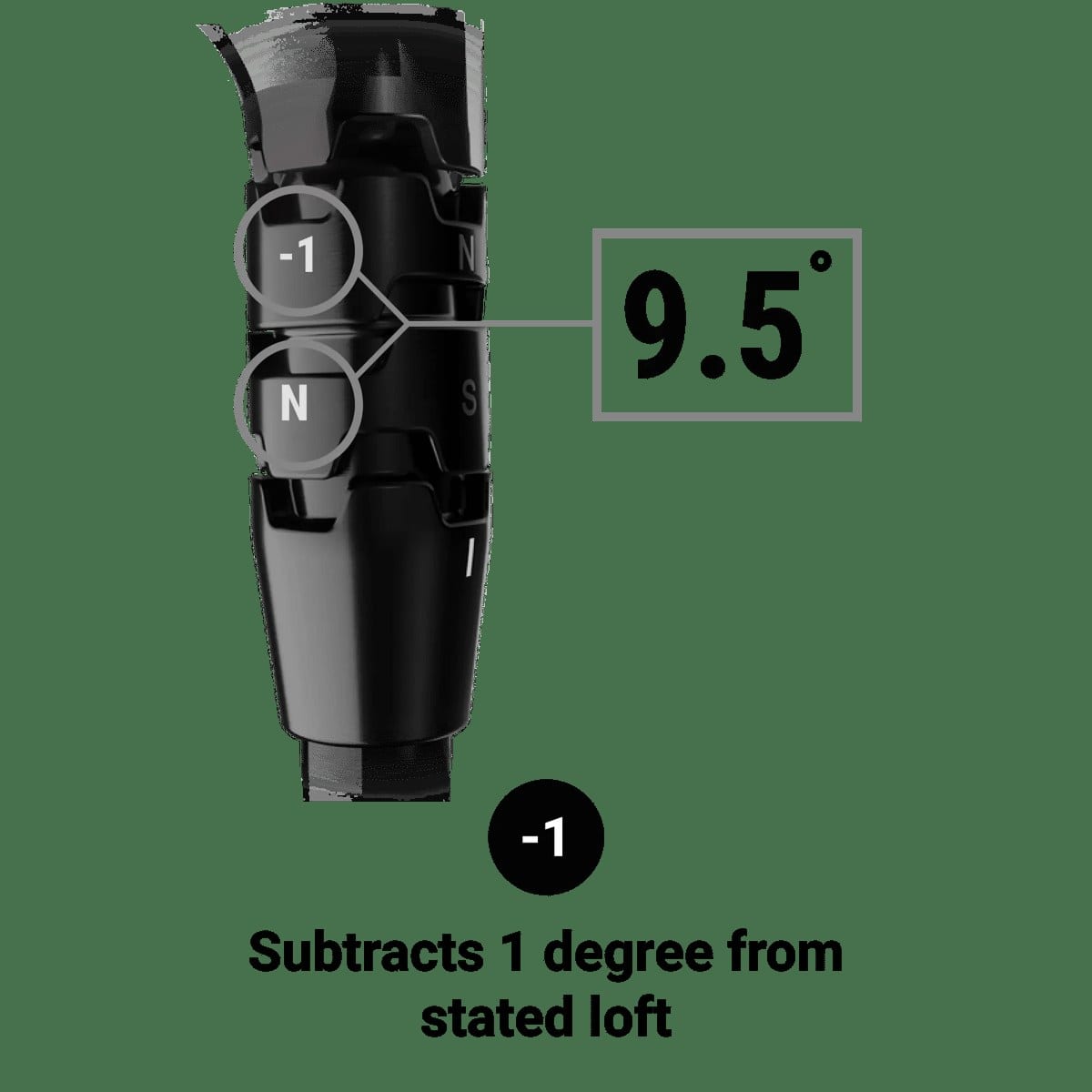 Photo: Callaway Golf, OptiFit instructions page.
Shot shape lives somewhere else: a movable weight on the sole, which Callaway calls Advanced Perimeter Weighting (APW). The Quantum Max carries a 10-gram weight there. Callaway’s own launch materials describe it as letting players “adjust between neutral and draw settings” (PGA Tour equipment report, citing Callaway, 2026-05-26). Moving that weight shifts the driver’s balance point and biases the start line and curve, and it doesn’t touch loft or lie.
The current retail line is the 2026 Quantum family: Quantum Max, Max D, Max Fast, Triple Diamond, and Triple Diamond Max. All of them carry the OptiFit hosel (customclubs.eu Quantum overview, 2026-09-20).
This article’s weight port settings are specific to the Max, the model most players buy off the rack. Max D is Callaway’s factory-draw-biased version of the same head, the same “D” naming other brands use for their draw models. Triple Diamond targets better players, who more often want less draw bias built in, not more. If you’re not sure which one you have, the model name is stamped on the crown or sole near the shaft.
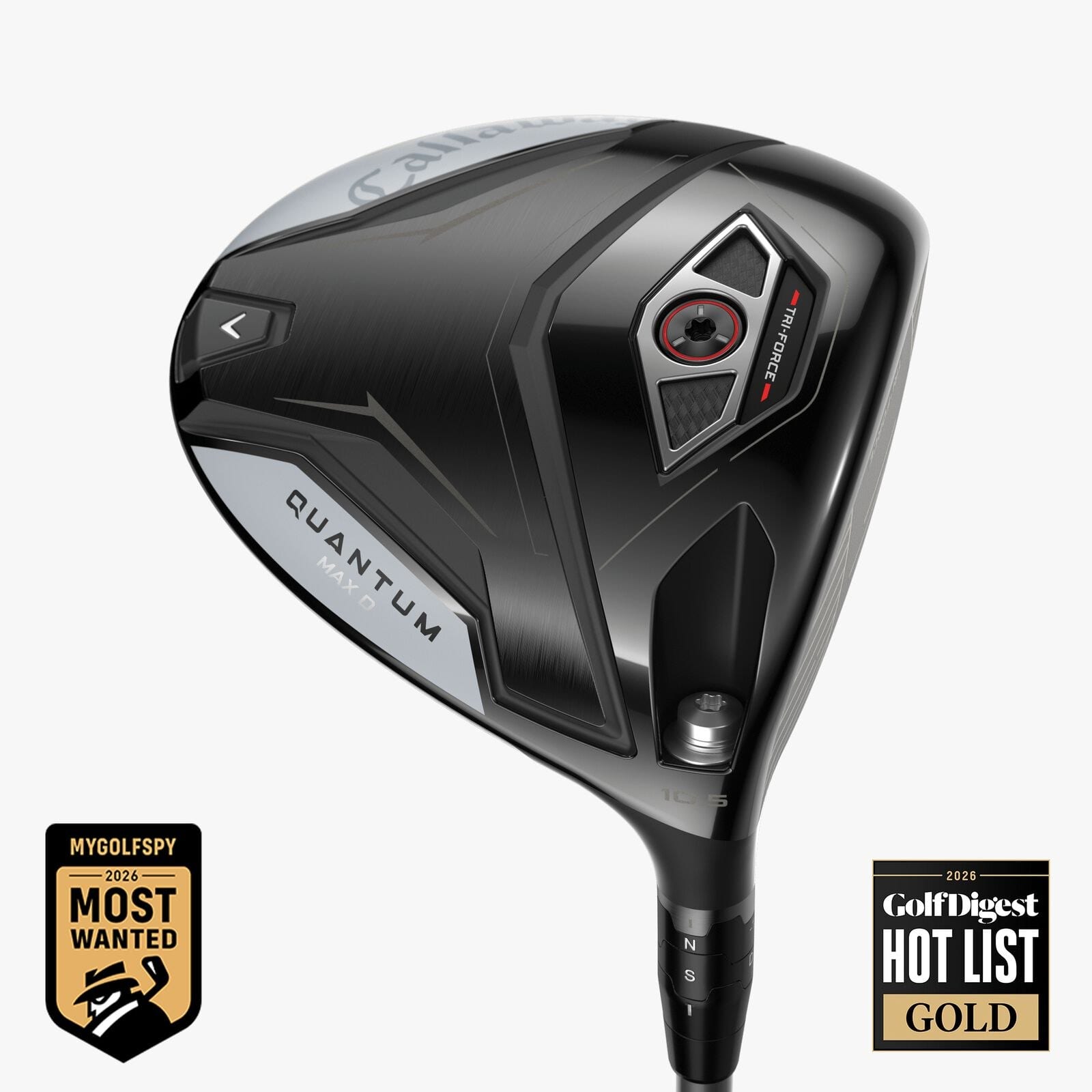 Photo: Callaway Golf, 2026 press release.
Which one to turn depends on what the ball is doing
Match the miss to the part, not the other way around.
| What you’re seeing | Adjust | Direction |
|---|---|---|
| Slicing, or starting straight and curving right | Weight port | Move to Draw |
| Hooking, or starting left | Weight port | Keep at Neutral, and see below |
| Ball flies too low, or you’re leaving distance on the table | Hosel loft ring | +1 or +2 |
| Ball balloons, or spins more than it should | Hosel loft ring | -1 |
The weight port on the Max only moves between Neutral and Draw. There’s no built-in fade slot on that model, so a hook isn’t something the weight port corrects the same way a slice is. If Neutral still hooks, the miss is more likely swing path than hardware, and the club isn’t going to out-adjust it.
For a bigger correction than one setting gives, the two parts stack. One review paired the Draw weight with a hosel change and removed a slice entirely (Plugged In Golf, 2026-01-29).
Read that as a division of labor. The weight port sets the direction bias, and the hosel fine-tunes launch and spin on top of it. Neither part alone is guaranteed to be enough.
To be clear about scale: reviewers describe the weight port’s effect as a noticeable shape change. It’s not a fix that erases a slice from a much steeper swing path. If your miss is severe, this is a fitting or a lesson question before it’s a settings question.
How to actually move each one
The hosel. Lay the driver sole-up on a flat surface. Using the OptiFit wrench that came with the club, turn the screw counterclockwise until the head comes free. You don’t need to remove it all the way.
Rotate the loft ring to the letter or number you want, then line its mark back up with the indicator on the shaft. Reseat the head and tighten with the same wrench until it stops turning freely. Callaway doesn’t publish a torque number for this on its own site, so use the included wrench rather than a household screwdriver. It’s built to stop at the right tightness.
The weight port. The APW weight sits in a port on the back of the sole, under a small cap. Unscrew it with the same wrench and move it to the marked Neutral or Draw slot. Screw it back in until it’s snug against the seat.
On a Triple Diamond, that same slot reads Neutral and Fade instead of Neutral and Draw. The table above is written for the Max.
Change one part at a time. If you move both the hosel and the weight in the same session, you won’t know which one actually moved your ball flight.
What this won’t fix
These are fine-tuning tools. They shift launch by a degree or two and shot shape by a matter of yards, not a full ball-flight category. Neither replaces a lesson if the underlying cause is your swing path or face control at impact.
And neither is a substitute for a real fitting if you’re shopping for a new driver rather than adjusting one you already own. If you’re still comparing 2026 models, our roundup of this year’s drivers covers where the Quantum line sits next to the rest of the field.
Some brands publish exactly how many degrees their hosel moves the face angle. Others don’t, and that gap is its own question with its own answer: how a loft sleeve actually moves face angle across brands. This article only covers what to turn on the Callaway parts you already have.
Terms in this article
- Hosel: the collar where the shaft connects to the clubhead. On an adjustable driver, this is the part with the ring you rotate to change loft and lie.
- Cog: Callaway’s own name for the toothed ring inside the OptiFit hosel that clicks into each loft and lie position.
- Face angle: which way the clubface points at address (open, square, or closed), relative to the target line. It’s the single biggest factor in which direction the ball starts.
If your driver is hooking or slicing, start with the weight port. If it’s flying too high, too low, or spinning more than you’d like, start with the hosel. If you’ve tried both and the miss hasn’t moved, the next step is a fitting, not a third setting.