
PING Driver Settings: Trajectory Tuning Can't Fix a Slice
PING's hosel has eight Trajectory Tuning settings and none of them targets a slice. The two plus marks differ by size: small is +1.0, large is +1.5.
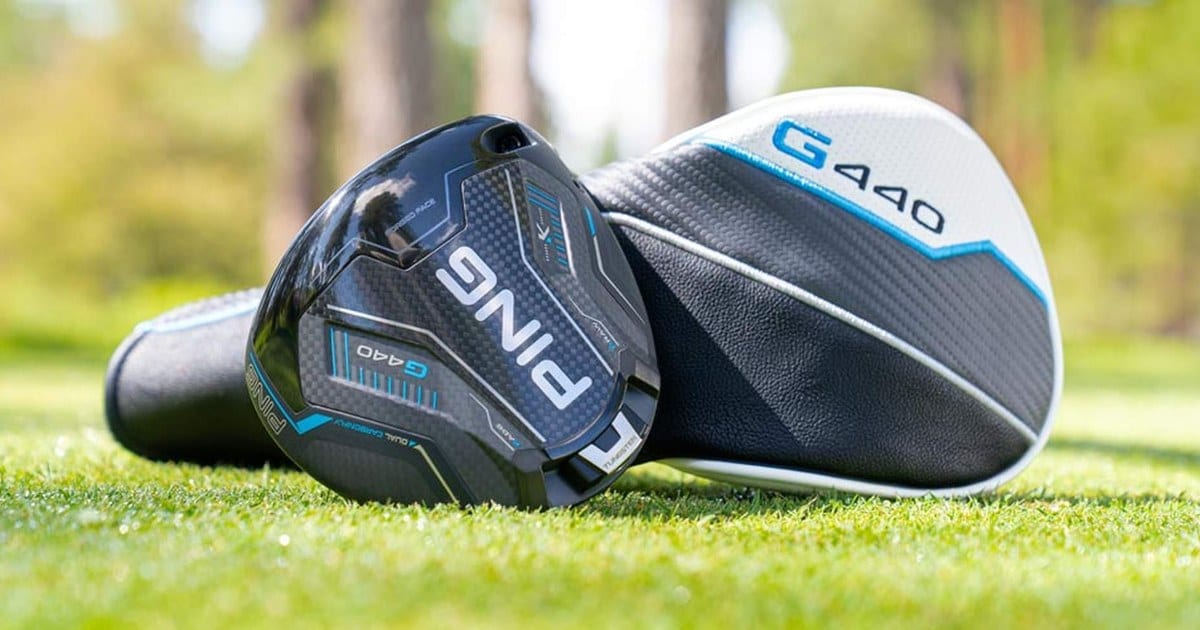
You’ve got the wrench out and the hosel in front of you. The hosel is the collar where the shaft meets the head, and it carries a ring of small marks.
Before you turn anything, one fact decides whether PING’s chart helps you at all. The hosel has settings for a left miss and nothing for a right miss. If you slice, the fix lives in the weight on the sole, and not every PING model has a weight that moves.
So this splits in two. Miss left, and the chart below has settings for you. Miss right, and the sole weight section is the one you want.
The short answer
- PING calls the system Trajectory Tuning 2.0, and the hosel has eight settings (PING, retrieved 2026-09-22). That count is PING’s, and the conclusion that none of them is aimed at a slice is mine.
- The two plus marks are the same character in two sizes: small is +1.0 degrees of loft, large is +1.5. The minus marks work the same way.
- Five of the eight settings leave the lie neutral, and three make it flat. Going flat drops the 1.5 degree loft steps.
- PING publishes the chart on its G430 pages, not on the G440 pages. A G440 owner following PING’s own site never reaches it.
- Shot shape belongs to the sole weight in PING’s filing. The G440 SFT’s 23 gram weight has a “Draw” position worth about 13 yards of bias, and a “Draw+” worth about 20 (PING, retrieved 2026-09-22).
- PING publishes no turning procedure and no torque figure. Use the wrench that came with the club, and leave the setting alone once you tee off.
In this article:
- The small plus and the large plus are different settings
- This chart covers the G410 through the G440, and stops there
- Your miss decides this, and the hosel answers only one side
- A right miss is the weight’s job, and that differs by model
- Turning it, and the two things PING doesn’t publish
- Terms in this article
The small plus and the large plus are different settings
This is the part nobody remembers, so it goes first. PING didn’t give its eight settings eight different letters. It changes the size of the mark instead.
Two words carry the table. Loft is the angle of the clubface, which mostly sets how high the ball launches and how much it spins. Lie is the angle between the shaft and the ground with the club soled. Upright stands the shaft more vertical, and flat lays it down, which by fitting convention sends a right-hander’s ball further right.
| Setting | Loft adjustment | Lie |
|---|---|---|
○ | 0° | Neutral |
+ (the small one) | +1.0° | Neutral |
+ (the large one) | +1.5° | Neutral |
− (the small one) | -1.0° | Neutral |
− (the large one) | -1.5° | Neutral |
F | 0° | Flat |
F− | -1.0° | Flat |
F+ | +1.0° | Flat |
Values read off PING’s Trajectory Tuning chart image (PING, retrieved 2026-09-22), not off other write-ups. Three of the four reprints I found disagree with it: one drops -1.5°, one leaves out the flat block, one prints 0.5° steps. In a table like this the two plus marks look identical. On the hosel they don’t, and the size is the value.
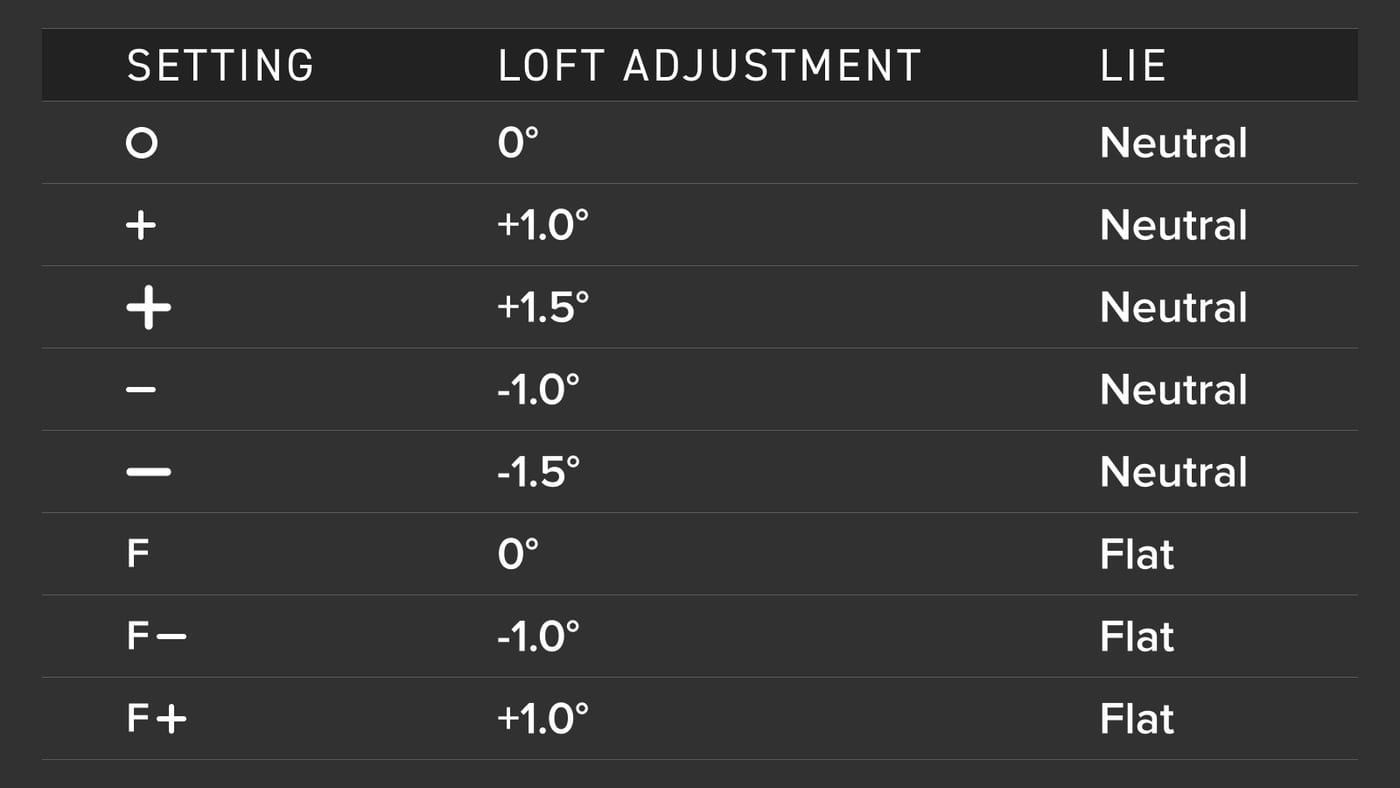
Two things fall out of that table that PING never states. First, ○ and
F give you the same loft and differ only in lie. Second, the eight is
five plus three: five settings hold the lie neutral, and three move it
flat.
PING’s own copy puts the range at plus or minus 1.5 degrees of loft, with a lie “up to 3° flatter than std.” (PING, retrieved 2026-09-22).
One footnote is worth knowing before you compare your club to anyone else’s. The lie angle in PING’s spec tables “is an average of the five adjustable loft positions indicated on the hosel” (PING, retrieved 2026-09-22).
So the printed lie isn’t the lie of the setting you’re in, and those five are the five loft values above. What that footnote says about disclosure across brands is a separate story: what a loft sleeve actually moves.
This chart covers the G410 through the G440, and stops there
The eight settings are yours if your driver is a G410 or newer. G400 and earlier heads take a different adapter, so the chart above isn’t for them. The adapter is the sleeve itself, the part the wrench frees from the head.
That split isn’t PING’s. The company doesn’t publish an adapter compatibility list, and I couldn’t find one on the site. The parts trade splits them here. Suppliers sell one PING adapter for the G410 through the G440, and a different part for the generation before.
That’s a shop-floor fact, not a manufacturer spec. If your driver predates the G410, you’ll want the sleeve checked.
There’s a second reason this chart is hard to find. PING publishes it on the G430 pages, not the G440 pages, so a G440 owner walking through PING’s own site never reaches the table. The values still carry over, since the trade treats both generations as one adapter, but PING doesn’t say so.
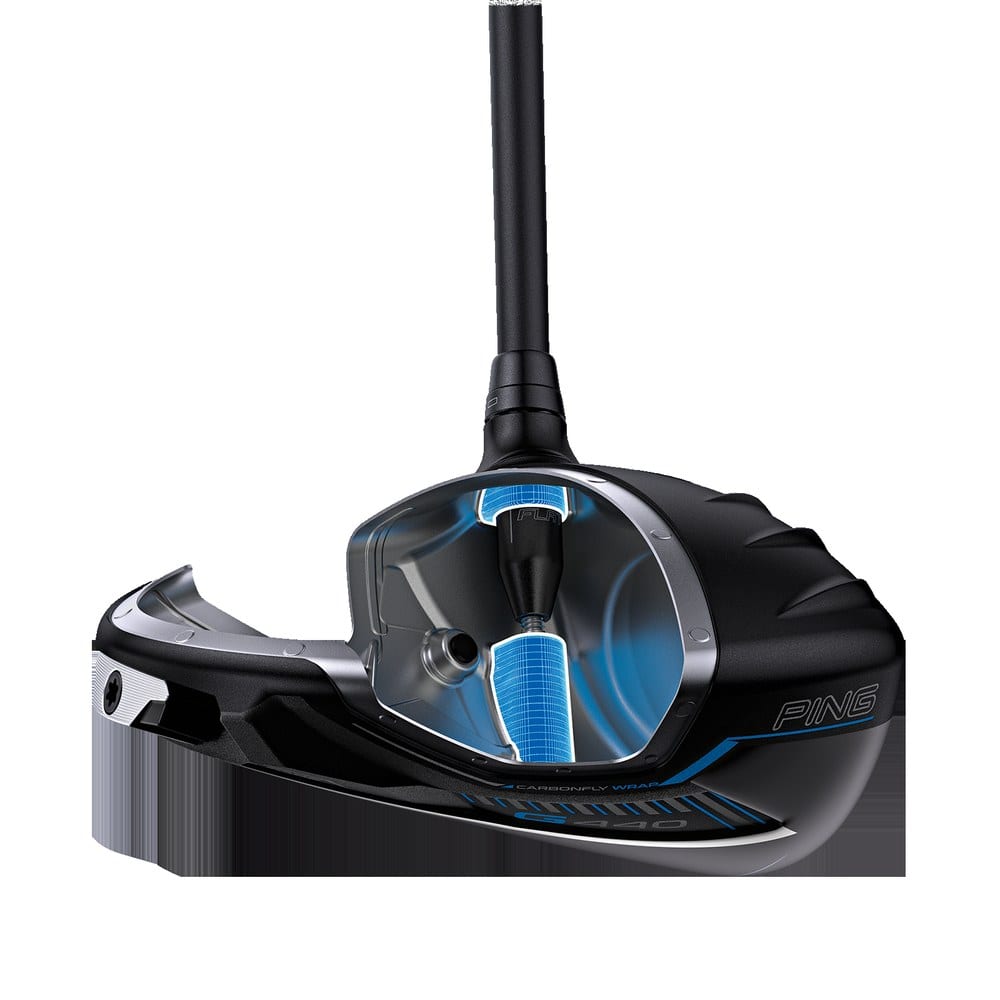
Other brands split this differently. Titleist has run one SureFit chart since 2010, so the year on the head barely matters there. On a PING it matters a lot.
Your miss decides this, and the hosel answers only one side
Pick your branch before you pick a setting.
If your miss goes left, the flat settings are yours: F, F− and
F+. By the same convention, a flatter lie moves a right-hander’s ball
right, which is the direction you’re after.
There’s a price, and the chart shows it plainly. Flat gives you three loft choices instead of five, because the 1.5 degree steps exist only at neutral lie.
If your miss goes right, the hosel has nothing for you. Look down the lie column and you’ll see it only moves one way. There’s neutral and there’s flat, and there is no upright setting to reach for.
Titleist and TaylorMade both put an upright side on the same axis, and Cobra’s FutureFit33 gives a right miss somewhere to go. I went through Titleist’s SureFit settings in a separate article. PING’s chart doesn’t have one.
If it’s only ball flight you’re after, stay at neutral lie and use the five loft steps.
One limit, and it’s about you rather than the chart. A flatter lie changes how much the ball curves, and it doesn’t touch whatever your swing is doing to start the curve.
PING never attaches the words draw or fade to the hosel. For a right-hander, a draw curves the ball left and a fade curves it right, and a slice is an oversized fade.
Plenty of write-ups call the flat setting a fade bias setting, and PING says that nowhere I could find. I went looking for a fitting-side source with numbers on it and came up empty.
So the direction is the lie angle’s, not PING’s. That’s fitting convention, and PING’s chart only moves that way. I’d treat the flat settings as help for a left miss and nothing for a slice.
A right miss is the weight’s job, and that differs by model
PING does file shot shape somewhere. It just isn’t the hosel. On the product pages, draw and fade appear under a heading called SHOT SHAPING, and that heading belongs to the weight on the sole.
That weight moves the head’s CG, its center of gravity, which is the balance point of the head. Heel-side mass is a draw position, and toe-side mass is a fade position.
| Model | Sole weight | What PING calls the positions |
|---|---|---|
| G440 SFT | 23 grams, two positions | “Draw” and “Draw+” |
| G440 MAX | 29 grams, three positions | Draw, neutral and fade |
| G440 LST | Three positions | No weight figure I could confirm |
| G440 K | Tungsten, three positions | “Neutral”, “Draw”, “Fade” |
Weights and position names read off PING’s G440 pages: SFT, MAX, LST and K, retrieved 2026-09-22.
The SFT row carries the strongest number in this article, because PING states it in yards. Its 23 gram weight is worth about 13 yards of draw bias in the “Draw” position. “Draw+” is worth about 20 (PING, retrieved 2026-09-22). Manufacturers rarely put a yardage on an adjustment at all.
That number is worth holding against your own miss before you buy anything. If your slice finishes 40 yards right of the target, 13 yards of bias narrows it rather than deleting it.
The G440 K is worth a second look, because its labels and its stated purpose don’t match. The positions read Neutral, Draw and Fade, and PING’s stated reason for them is ball speed, launch and spin (PING, retrieved 2026-09-22).
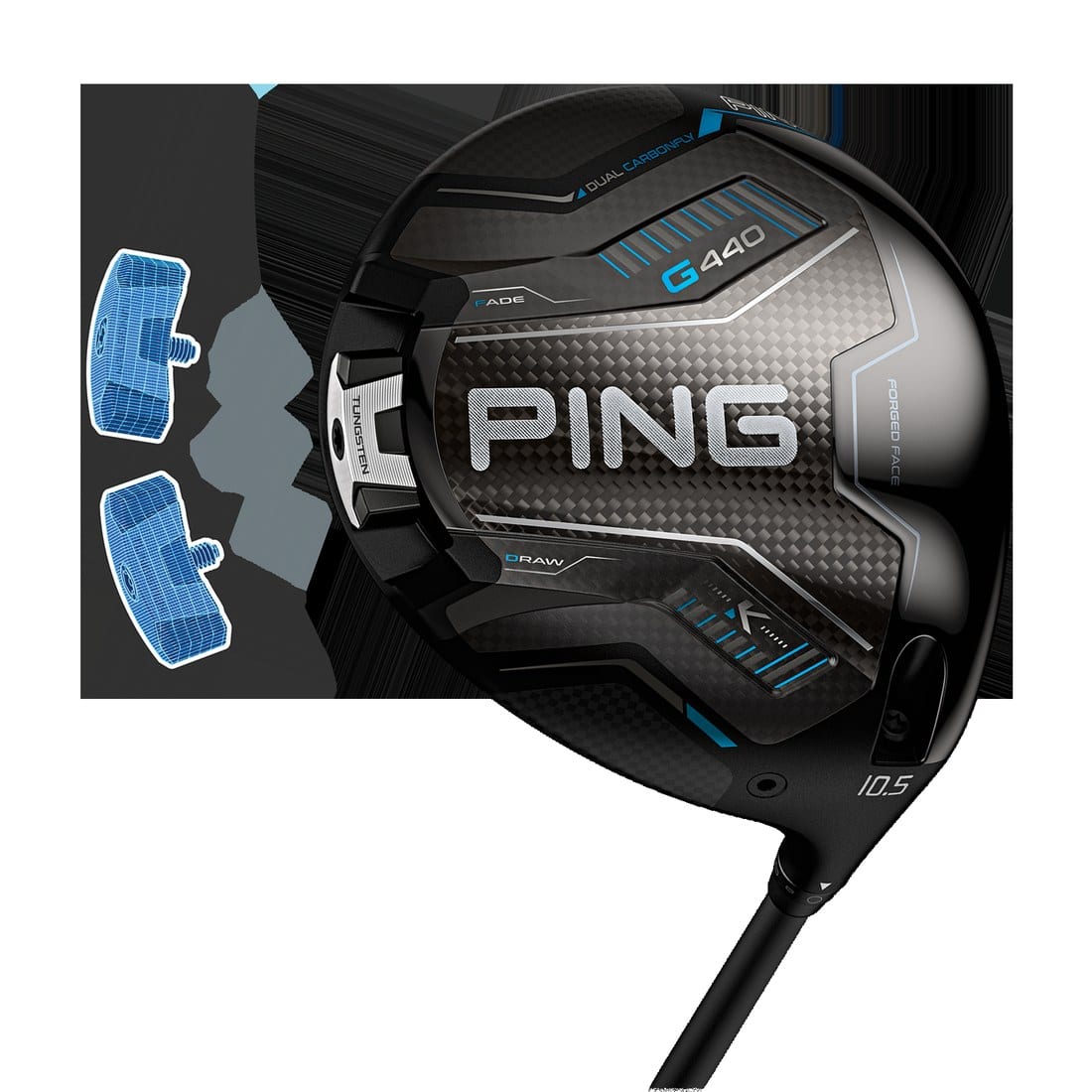
None of this applies until you’ve looked at your own sole. PING’s drivers page runs past the four heads in the table above, with G430 models and HL variants still listed (PING, retrieved 2026-09-22).
Still choosing a head rather than a setting? The K sits in my 2026 driver roundup with its price and its forgiveness claim.
Turning it, and the two things PING doesn’t publish
PING doesn’t tell you how to do this. There’s no step list and no torque figure on its site, and I couldn’t find either in its help pages.
That absence is worth saying out loud, because it isn’t universal. Titleist puts its whole procedure in one sentence on its own fitting page. PING ships the wrench and says nothing. That’s one comparison rather than a survey of the industry.
So here’s the general procedure. It’s mine, not PING’s.
- Use the wrench that came with the club rather than a screwdriver or a generic hex key.
- Turn counterclockwise until the head has play, without taking the screw out.
- Seat the head so the mark you want lines up, then turn clockwise until it’s firm.
- Back the wrench off and line the parts up again if the screw starts to resist, rather than forcing it.
On torque, third-party guides do print numbers and they don’t agree. I found two different figures, with one outlet carrying both. There’s no PING figure to check them against, so I’m not repeating either.
I also went looking for the genuine-parts and in-round warnings other brands print, and I didn’t find them on PING’s site. They may be on the card in the box, so don’t read the silence as permission.
The rule doesn’t depend on the brand. Rule 4.1a covers deliberately changing a club’s performance characteristics during a round. So work it out on the mat, write down where you landed, and leave it there.
If you do one thing after reading this, do the small one. Go look at your hosel and work out whether the mark on it is the large one or the small one. That’s the difference between 1.5 degrees and 1.0.
Terms in this article
- Hosel: the collar where the shaft meets the clubhead. It holds the sleeve you turn with the wrench.
- Adapter: the sleeve itself, the part the wrench frees from the head. The parts trade sells one PING adapter for the G410 through the G440.
- Loft: the angle of the clubface, which mostly sets how high the ball launches and how much it spins.
- Lie angle: the angle between the shaft and the ground when the club is soled.
- Flat and upright: upright stands the shaft more vertical, and flat lays it down. PING’s chart has no upright setting.
- Draw and fade: for a right-hander, a draw curves the ball left and a fade curves it right. A slice is an oversized fade.
- CG: center of gravity, the balance point of the clubhead. A shot shape weight moves it toward the heel or the toe.